

AdviceDocs is an Australian platform that drafts advice documents for financial advisers. The adviser uploads the client material they already hold, writes one instruction describing the advice, and gets back a complete first draft in the practice’s own branding — usually in about five minutes.
What documents can AdviceDocs produce for a financial adviser?
AdviceDocs is built around three document types: a Statement of Advice (SoA), a Record of Advice (RoA), and a Portfolio Report. Each organisation holds its own branded versions in its template library, and every document it generates is produced from a template in that library. Practices that need a document type beyond the three can request one, which the AdviceDocs team builds and adds to the library.
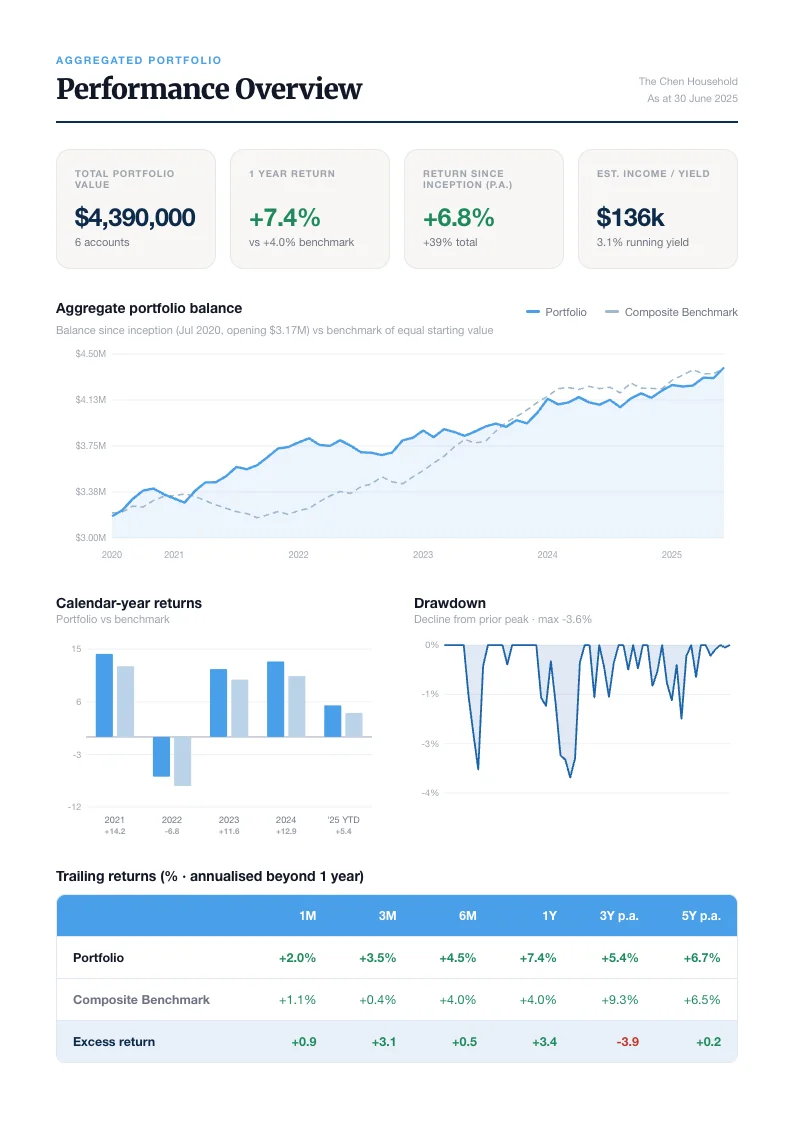
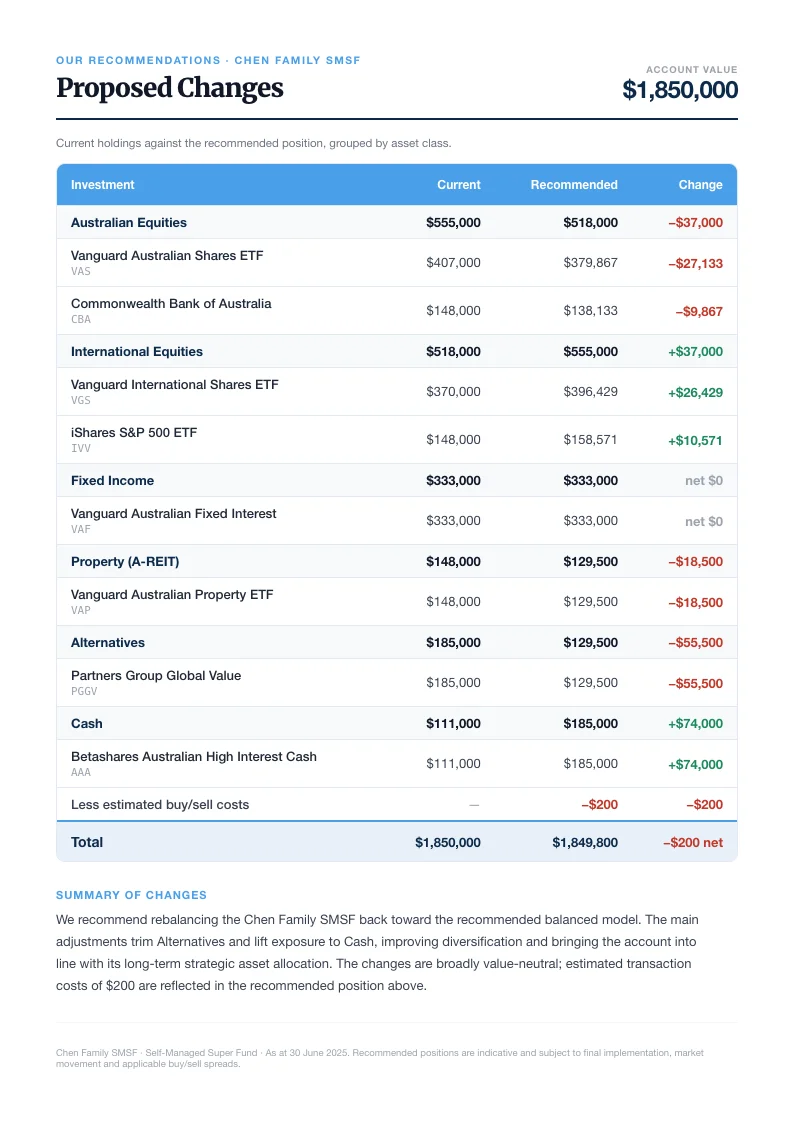
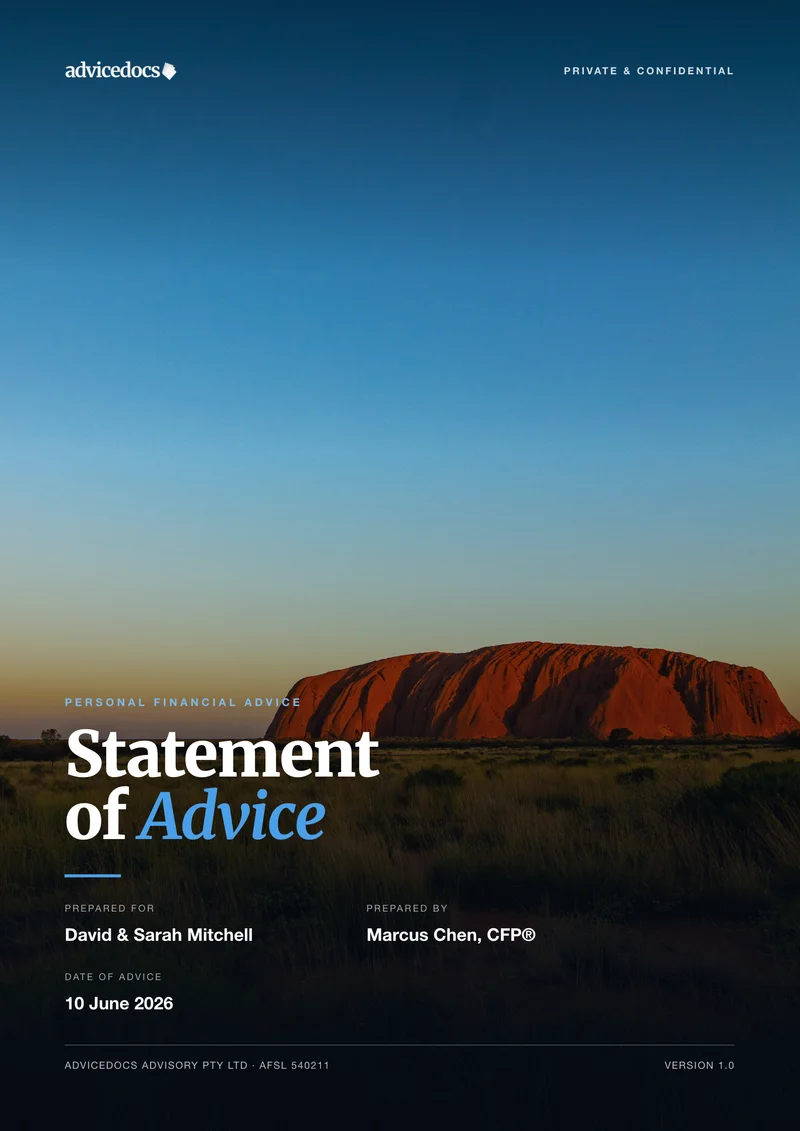
A template is a set of A4 pages with named elements — a headline, a fee table, a comparison chart, a recommendations section. Each element carries a plain-English instruction telling the AI what belongs there and where to source it, with @ to name the kind of client document the value should come from — the fact-find, the research report — and # to pull in one of the organisation’s stored variables. Layout and instructions are both edited in the browser; there is no Word template to code and no macro language to learn.
How long does it take to produce a Statement of Advice with AdviceDocs?
About five minutes for a complete first draft. Drafting the same SoA manually — pulling the client’s circumstances together, writing the strategy rationale, building the comparison tables, formatting, repaginating, proofing — typically takes an adviser or paraplanner somewhere between four and eight hours.
What "first draft" means here matters. AdviceDocs writes from the research and strategy the adviser has already done; it does not decide the advice, choose the products, or sign anything off. The draft comes back for the adviser to check, correct and approve. The time saved is production time, not judgment.
How does AdviceDocs turn client documents into a draft advice document?
- Choose which document to produce — SoA, RoA or Portfolio Report — from the organisation’s template library.
- Upload the client material: fact-find, risk profile, product research, statements, projections. AdviceDocs accepts PDF, Word (.docx), CSV and image files, and converts Word files to PDF on the way in.
- Write one instruction in the chat describing the advice — who the client is and what is being recommended.
- Extraction runs in phases: plain facts are captured from the uploaded documents first, then the sections that reason over those facts — recommendations, comparisons, long-form rationale — are written on top of them.
- The populated document opens in the editor for review and editing.
- Export to PDF, or share it as a presentation link for the client meeting.
While extraction runs, the screen shows each stage ticking over as it completes:
- Resolving entities
- Mapping template variables
- Identifying scope & recommendations
- Extracting context from documents
- Calculating complex variables
- Assembling document
Uploaded PDFs are handed to the model as pages rather than as a flattened text dump, so tables, charts and scanned statements are read in the layout they were printed in. A single PDF is read up to 100 pages; anything longer is truncated to the first 100 pages and flagged with a warning on upload, so a long statement is worth trimming to the pages that matter before it goes in.
What does an advice practice get when it signs up to AdviceDocs?
Its own set of documents. Signup collects the practice’s logo, brand colours, heading and body fonts, cover images, footer text, legal business name, AFSL number and ABN. AdviceDocs then builds a branded SoA, RoA and Portfolio Report in the background: colours, fonts and logos are applied deterministically, a language model swaps out the sample business and adviser details, and the result is rendered, screenshotted and checked by a vision model. A full run usually finishes in under ten minutes, and each branded document appears in the organisation’s template library as it is completed. The pass is best-effort rather than perfect — anything it does not get right is editable in the app.
New organisations are also seeded with 35 read-only Australian system variables — the superannuation guarantee rate, concessional and non-concessional contribution caps, the transfer balance cap, minimum pension drawdown rates by age band, deeming rates, tax thresholds and Age Pension figures. They are seeded once per organisation and are read-only in the app, so a practice has a single named place to look them up rather than hunting for each figure.
A practice that signs up under a licensee gets the licensee’s own starter documents for any slot the licensee has filled, falling back to the AdviceDocs defaults for the rest. How licensees manage advisers with AdviceDocs covers that side of the arrangement.
Can you edit a document AdviceDocs generates?
Edit all of it. The generated document opens in a full editor: click any element to change its text, font, colour, alignment or spacing; add, duplicate or delete pages from the page rail; undo and redo; zoom in on a page.
For changes larger than a typing fix there is an edit queue. The adviser pins a comment to a specific element — "shorten this to two paragraphs", "compare against the client’s current fund instead" — attaches a file or @-mentions an already-uploaded document where the instruction needs one, queues as many edits as they like, then sends them all in a single pass for the AI to apply.
Recommendation sections size themselves to the advice rather than to the template: the model writes one section per recommendation actually being made, so three recommendations produce three sections. Sections that grow past the bottom of a page flow onto the next one instead of overrunning it.
When the document is ready it can be exported to PDF — rendered through Chromium so charts and page layout come out as they appear on screen — or shared as a presentation link. The presentation link opens in any browser with no login and shows the document with the adviser’s name and photo alongside it and the practice’s wordmark across the top. It can also collect signatures: AdviceDocs works out who must personally sign (the client and their partner, never the adviser or children) and renders a named signature pad for each. Where the document has its own signature lines, the drawn signatures are written into them so they appear in the exported PDF; otherwise the signature is recorded against the document without altering it.
Where does AdviceDocs store and process client data?
Uploaded files, generated documents and exported PDFs are stored in Amazon S3 in AWS’s Sydney region (ap-southeast-2). The Claude models that read those documents are called through AWS Bedrock’s Australia-only inference profiles, which keep the request inside ap-southeast-2 (Sydney) and ap-southeast-4 (Melbourne).
One step is deliberately excluded from that path: when AdviceDocs looks up the current Product Disclosure Statement for a recommended product, it runs a web search that sends product details only — the product name, the platform it sits within where relevant, its issuer and its category. No client data and no document content leave the Australian path.
Frequently asked questions
Does AdviceDocs integrate with Xplan, AdviserLogic or Plutosoft?
AdviceDocs has no direct API connection to Xplan, AdviserLogic, MidWinter, Plutosoft, Fin365, Product Rex or Omnium. It works alongside them instead: the adviser exports or prints the fact-find, risk profile, research and product comparisons from whichever system the practice uses, and uploads those files to AdviceDocs as source material. Because the input is a document rather than a data feed, a practice does not have to change or migrate its planning software to use AdviceDocs.
Does AdviceDocs replace paraplanners?
No. AdviceDocs automates the drafting and formatting stage of the advice process — historically four to eight hours per document. Research, strategy modelling, product selection and compliance judgment stay with the adviser or paraplanner, and their work is exactly what AdviceDocs drafts from: the quality of the uploaded research determines the quality of the draft.
What file types can I upload to AdviceDocs?
PDF, Word documents (.docx), CSV files, and images (.png, .jpg, .jpeg). Word files are converted to PDF automatically on upload, and CSV data is passed through as raw text so it can be used for calculations and charts. A single PDF is read up to 100 pages — anything longer is truncated to the first 100 pages and flagged with a warning on upload — and PDFs above about 32 MB are too large for the model to read, so they need to be split first.
Can a client sign a document produced by AdviceDocs?
Yes. A generated document can be shared as a private presentation link that opens in a browser with no login required. AdviceDocs determines who needs to sign — the client and their partner, never the adviser or children — and renders a named signature pad for each. Signatures drawn on the page are saved against the document, and where the document carries its own signature lines they are written into it, so they appear in the PDF the adviser downloads afterwards.